A product search.
A relevant place to buy.
Connect each product to the stores that carry it. Keep assortment separate from fresh stock observations.

See customer tasks in the product
 Open capture
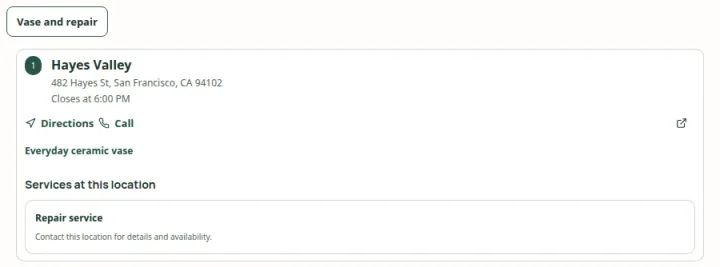
Offer a named product or service task, then show the places that match its exact criteria. Actual product · Fictional project data.
What this setup includes
- Stable product and store identities
- Store-specific assortment matching
- Explicit stock uncertainty
Example networks
- Brand stockists
- Dealer showrooms
- Specialty retailers
- Ecommerce websites
“Why does this product appear at one shop but not another?”
Because the product belongs to the effective assortment assigned to that location. The store may have a complete catalog, a smaller collection or explicit assignment choices. Inventory observations answer a different question: what was recently reported about stock.
Information behind the answer
- Identity
- A stable product ID or SKU
- Assortment
- Catalog membership and store assignments
- Observation
- A separately sourced state and observation time
Who uses this setup.
Assortment managers
Maintain products, catalogs and the stores assigned to each range.
Wholesale teams
Keep brand relationships and participating stockists accurate.
Product shoppers
Find stores relevant to a named item or collection.
Prepare the relationship, not just the spreadsheet.
Give products stable identifiers and decide how ranges map to locations. A named catalog can represent a product line, a seasonal selection or an explicitly maintained display collection. Review the effective assortment after imports and assignment changes.
- Match imports using stable identifiers rather than display names alone.
- Review unresolved references before changing customer output.
- Keep manual assignment choices and automated source ownership understandable.
Explain what the information proves.
A store carrying a product does not establish current shelf stock, quantity or a reservation. If inventory observations are supplied, preserve their freshness and unknown states. Store-specific prices also need their own maintained price data.
- Show assortment independently from observed availability.
- Do not infer stock from a catalog assignment or an old observation.
- Send checkout and reservation actions to an appropriate configured system.
Your starting plan.
Identify
Prepare product IDs, store IDs, catalog membership and brand relationships.
Assign
Map collections to stores and inspect the effective product coverage.
Try the customer question
Select a product, inspect matching stores and verify the next action.
Before you begin.
What data do I need first?
Start with locations, stable product identifiers and a product- or catalog-to-location mapping. Stock quantities are not required for an assortment finder.
Can a product family have different variants?
The app supports reviewed product families and child-SKU choices. Each child uses its own assortment, media, price and available observations.
What if a store stops carrying a range?
Update the relevant relationship or assignment, review the resulting customer content and publish the intended release. Revocation and publication behavior should be checked for the chosen delivery mode.