Your client’s places.
A considered part of their website.
Build around the client’s brand and customer task, with clear ownership, publication and handover.
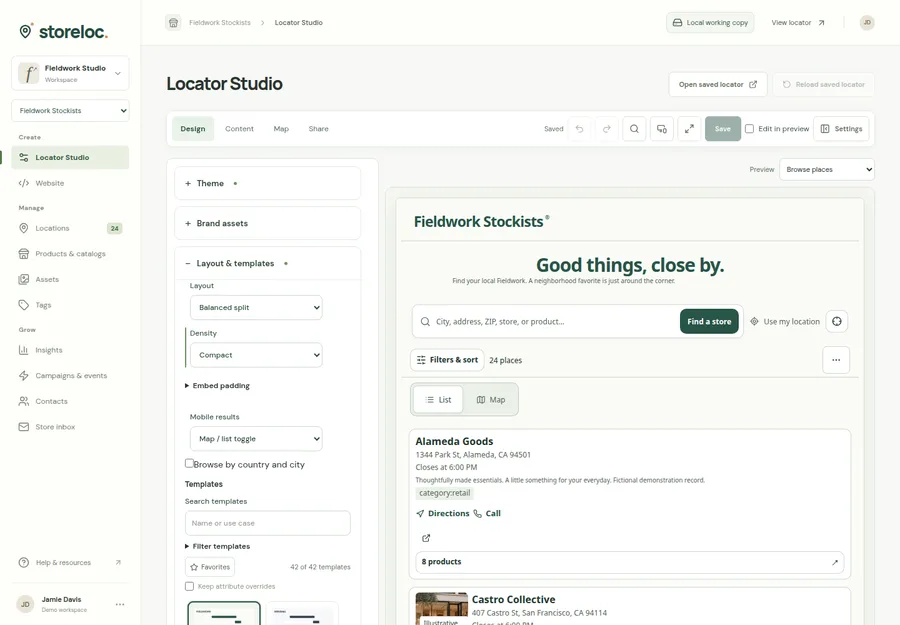
See reviewed publication in the product
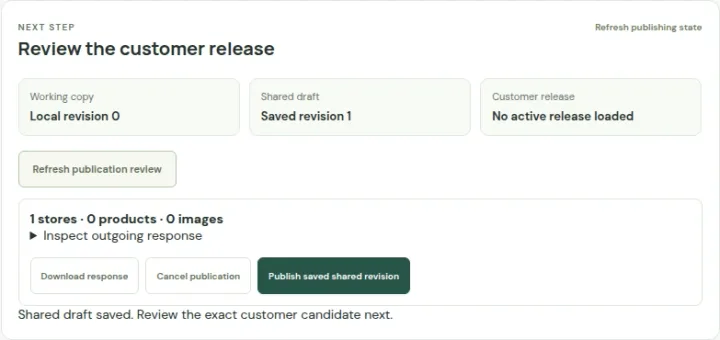 Open capture
Save the shared draft, inspect the customer view and publish explicitly. A save alone does not publish. Actual product · Fictional project data.
What this setup includes
- Branded client projects
- Reviewed publication and handover
- Scoped integration choices
Example networks
- Web agencies
- Ecommerce teams
- Franchise marketing
- Integration consultancies
- Vertical software
- Member organizations
“How do we add a branded stockist finder and hand it over clearly?”
Create a project for the client’s locations and assortment, choose its design, and agree the saved shared and publication workflow. Test the actual audience and host before handing over the data-maintenance steps.
Information behind the answer
- Client data
- Stable IDs, source ownership and approved public fields
- Delivery
- An explicitly selected release, scope and website host
- Handover
- Named operators, update steps and recovery responsibility
Who uses this setup.
Agency and project leads
Agree the client’s scope, data ownership, acceptance checks and handover responsibilities.
Designers and developers
Configure a coherent experience and choose a supported embed or API delivery path.
Client operators
Understand how to maintain data, review changes and keep the published destination current.
Start with a reusable process.
Project-based data and configurable customer presentation provide a starting point for different clients. Reuse the way you discover requirements and verify a release, while reviewing each client’s permissions and intended audience independently.
- Use Locator Studio for layouts, cards, maps and content choices.
- Review source mappings and publication fields for each project.
- Document who owns changes after the website is delivered.
Choose the integration deliberately.
An embed and a custom API reader have different hosting, access and maintenance requirements. The app includes scoped customer reads and a typed client; backend credentials, public access and host compatibility still need a project-specific setup.
- Keep integration secrets on the appropriate server boundary.
- Test the selected website’s framing and responsive behavior.
- Review connector credentials, refresh execution and error ownership separately.
Your starting plan.
Scope the customer task
Agree whether users need products, services, branch details or partner discovery.
Choose ownership and delivery
Define data sources, client roles, publication responsibility and the intended host.
Verify and hand over
Complete the customer journey and rehearse one ordinary update with the client.
Before you begin.
Is this an agency reseller or white-label billing platform?
Projects and configurable presentation are implemented. Agency billing, reseller contracts and automated client provisioning are separate commercial and product requirements.
Can we use a custom frontend?
Scoped customer API reads and a typed client exist. Review authentication, permitted resources, deployment access and feature compatibility for the intended frontend.
Can existing client data be connected?
Reviewed imports and supported connector adapters provide options. Credentials, field ownership and recurring execution need their own setup and verification.