The right place.
At a useful time.
Evaluate a planned visit against local opening hours and date exceptions, then inspect the place before travelling.
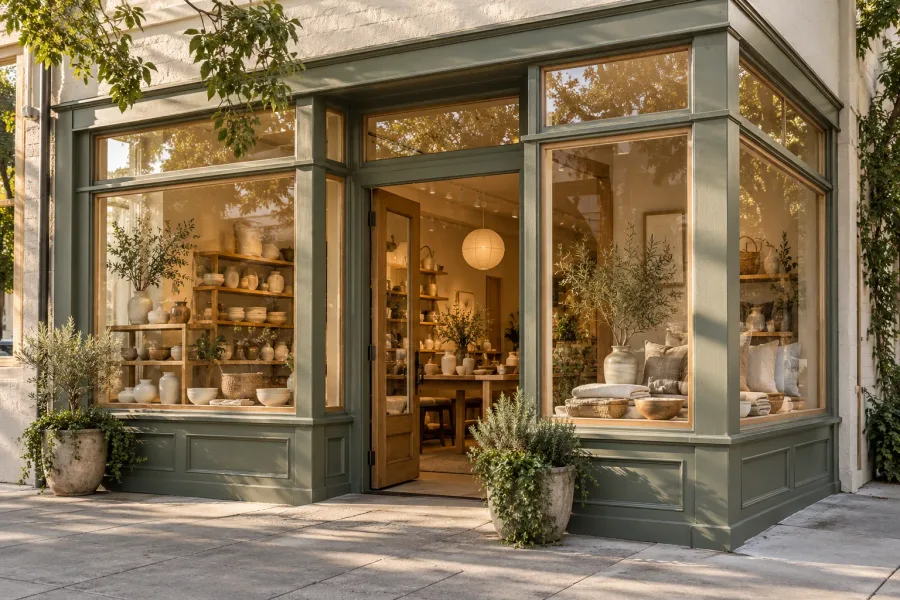
See customer tasks in the product
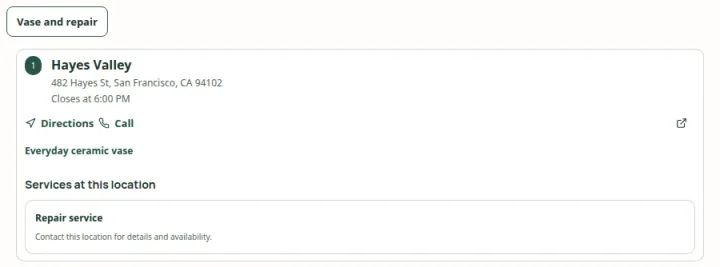 Open capture
Offer a named product or service task, then show the places that match its exact criteria. Actual product · Fictional project data.
What this setup includes
- Explicit visit times and time zones
- Weekly hours plus dated exceptions
- Useful contact and travel next steps
Example networks
- Retail branches
- Showrooms
- Service networks
- Seasonal places
“Where can I go at 7pm on this sample Wednesday?”
The example evaluates three places at fixed Pacific visit times. One is closed by a dated exception, one closes at 6pm and one stays open until 8pm. The evening result follows those schedules rather than the nearest address alone.
Information behind the answer
- Time
- An explicit sample instant and store time zone
- Schedule
- Weekly hours plus a dated closure
- Boundary
- Opening does not mean an appointment is available
Try this question.
A planned visitWhich places are open when I plan to go?
Which places are open when I plan to go?
Try three fixed visit times against weekly hours and one dated closure.
Fixed sample visit time in America/Los_Angeles. Weekly hours and the dated closure are evaluated together.
Willow & Clay
Matches- Open at the selected sample time.
- Hours do not establish appointments or stock.
No sample place is open at this time.
Plan your locatorFixed fictional example · 28 October 2026 · Visit times use America/Los_Angeles. No live stock, booking or enquiry is requested.
Who uses this setup.
Operations teams
Maintain store time zones, weekly hours and exceptions.
Local teams
Review temporary closures and changed opening patterns.
Visitors
Check a specific visit time and the practical next step.
Model the actual opening pattern.
Weekly hours are a starting point. A holiday, a one-day closure or a seasonal change can affect the selected visit. Keep each location’s time zone and exceptions with its schedule.
- Review time zones and overnight opening patterns.
- Use explicit date exceptions for changed days.
- Keep unknown hours distinct from an open result.
Support the trip without inventing capacity.
A place can be open while appointments, stock or support capacity are unavailable. Show useful contact and directions links so the visitor can confirm anything beyond the maintained opening information.
- Describe what the opening result actually proves.
- Review practical facts separately when they matter to the visit.
- Use a connected booking system for appointment availability.
Your starting plan.
Review schedules
Check weekly hours, time zones and dated exceptions.
Test several times
Inspect morning, afternoon and evening results on the same date.
Check the destination
Open the matching place and verify its contact or directions link.
Before you begin.
Is this an appointment finder?
No. The task evaluates opening information. Appointment capacity and confirmation belong to an appropriately connected scheduling service.
What does the example time mean?
The sample uses 28 October 2026 in America/Los_Angeles. Its three named visit times are fixed fictional cases, not current operating information.
What about missing or changed hours?
Unknown information should stay explicit. Review schedule changes and date exceptions before publishing the customer view.